DHTML Dynamic Calendar Particular Month

JavaScript calendars have existed for a long time now, but never have they looked pretty (literally), until DHTML came along. Check out Constantin's cool DHTML calendar, which not only looks handsome, but allows you to dynamically look up the calendar for any particular month/ year (by pressing the "Prev Next" buttons). Cool!
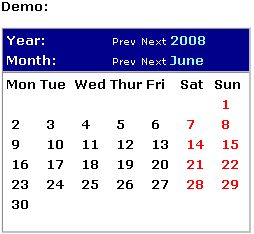


Step 1:

Insert the below into the section of your page where you wish the calendar to appear:


Step 2:

Add the below event handler into the tag itself, like this:


Step 3:

Finally, you need to download the calendar.js (by clicking it, or clicking it with the shift key depressed for NS users), and upload it into the same directory as the page containing the calendar:


you done the calender


Java Script Calender

If you need a simple, elegant calendar to display the current days of the month, asic Calendar is an excellent script for the purpose. Uses CSS to allow easy changing to its appearance, everything from calendar dimensions, colors, down to the font used to highlight the current day.

Step 1.

Insert the below into the HEAD section of your page:The above references an external .js file. Download basiccalendar.js (by
right clicking, and selecting "Save As"), and upload to your webpage directory.Within the above code, you may customize the CSS rules to change all visual aspects of the calendar.

Step 2.

Finally, insert the below script where you wish the calendar to
appear on your page:

Have You Forgotten How Good Webdesign Tastes?

Enter a word for your own slogan:

Generated by the Advertising Slogan Generator. Get more Webdesign slogans.

  • Test your Response time!

    Click on "Start" first, and wait until the background color changes. As soon as it changes, hit "stop!"
top